Get in touch
Learn the key steps to prepare, expose, and containerize machine learning models, turning them into valuable real-world applications.
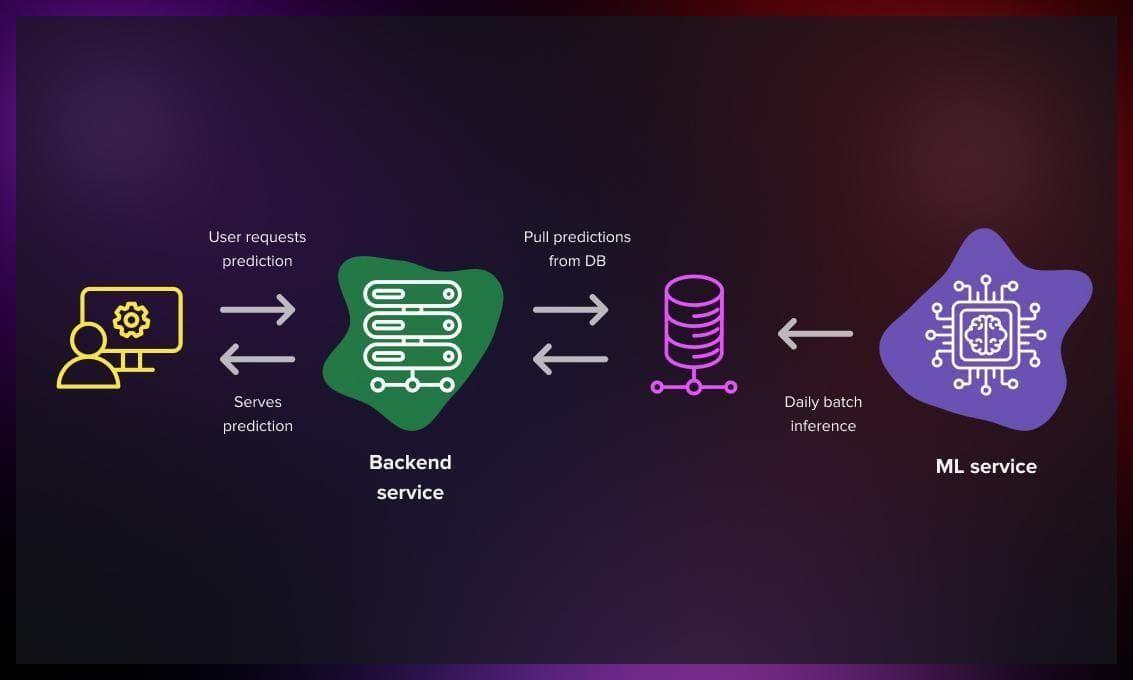
Deploying machine learning models into production is a crucial step in transforming them from development-stage prototypes into tools that deliver real business value. This process involves several stages, from preparing the model to integrating it with APIs, containers, or cloud services. Whether you're a beginner or an experienced data scientist, mastering model deployment is an invaluable skill.
In this guide, we’ll explore the steps required to deploy machine learning models to production. We'll also explore examples beyond traditional classification tasks to inspire you to tackle diverse challenges in different industries.
Before we dive into deployment, we need to set up our environment. This ensures consistency and reproducibility when moving the model into production.
Using a virtual environment is good practice to isolate dependencies. Here’s how to create one:
python -m venv myenv
Activate it and install required packages. Start by creating a requirements.txt file with libraries such as:
pandas
scikit-learn
flask
pydantic
uvicorn
streamlit
Install the dependencies with:
pip install -r requirements.txt
Here, you’ll develop your machine learning model. While this guide focuses on deployment, we'll provide an example of a trained model to illustrate the workflow.
Suppose you're developing a time series forecasting model to predict energy consumption. Your training script (train_model.py) might look like this:
import pandas as pd
import joblib
from sklearn.ensemble import RandomForestRegressor

# Load your dataset
data = pd.read_csv("data/energy_usage.csv")
X = data.drop("energy", axis=1)
y = data["energy"]

# Train the model
model = RandomForestRegressor(n_estimators=100, random_state=42)
model.fit(X, y)

# Save the model
joblib.dump(model, "models/energy_model.joblib")
Replace the dataset and model parameters as needed. This model can predict energy usage based on variables such as temperature, time of day, and historical usage.
Next, expose your model as an API for easy integration with other applications. Create a file called main.py:
from fastapi import FastAPI
from pydantic import BaseModel
import joblib
import pandas as pd

# Load the trained model
model = joblib.load("models/energy_model.joblib")

# Define the input schema
class EnergyInput(BaseModel):
    temperature: float
    humidity: float
    hour_of_day: int

app = FastAPI()

# Define a prediction endpoint
@app.post("/predict")
def predict(data: EnergyInput):
    input_df = pd.DataFrame([data.dict()])
    prediction = model.predict(input_df)[0]
    return {"predicted_energy": prediction}
This API receives inputs as JSON and returns the predicted energy usage.
To provide a user-friendly interface, create a frontend.py file:
import streamlit as st
import requests

API_URL = "http://localhost:8000/predict"

st.title("Energy Usage Prediction")
temperature = st.number_input("Temperature (°C)", step=0.1)
humidity = st.number_input("Humidity (%)", step=0.1)
hour_of_day = st.number_input("Hour of Day (0-23)", min_value=0, max_value=23, step=1)

if st.button("Predict"):
    payload = {"temperature": temperature, "humidity": humidity, "hour_of_day": hour_of_day}
    response = requests.post(API_URL, json=payload)
    if response.status_code == 200:
        prediction = response.json()["predicted_energy"]
        st.success(f"Predicted Energy Usage: {prediction:.2f} kWh")
    else:
        st.error("Error: Unable to fetch prediction.")
This frontend interacts with your API and provides real-time predictions.
To ensure your application runs consistently across different environments, package it in a Docker container. Create a Dockerfile:
FROM python:3.9-slim

WORKDIR /app

COPY . /app

RUN pip install --no-cache-dir -r requirements.txt

CMD ["uvicorn", "main:app", "--host", "0.0.0.0", "--port", "8000"]
Build and run your Docker container:
docker build -t energy-prediction .
docker run -d -p 8000:8000 energy-prediction
Here are additional examples where machine learning model deployment plays a key role:
For large-scale applications, consider deploying your model using cloud services such as:
Deploying machine learning models to production is as critical as developing them. It enables organizations to leverage the insights models provide in real-world applications. By following this guide and exploring diverse use cases, you can expand your expertise and bring significant value to your projects.
Your email address will not be published. Required fields are marked *